Baby Monitors Without Wi-Fi: Can Monitors Be Hacked, and Which to Buy
Can baby monitors be hacked? What a monitor without Wi-Fi protects you from, what you give up, and six options compared by the specs their makers publish.
We choose everything we recommend independently. If you buy through our links, we may earn a commission. How we make money
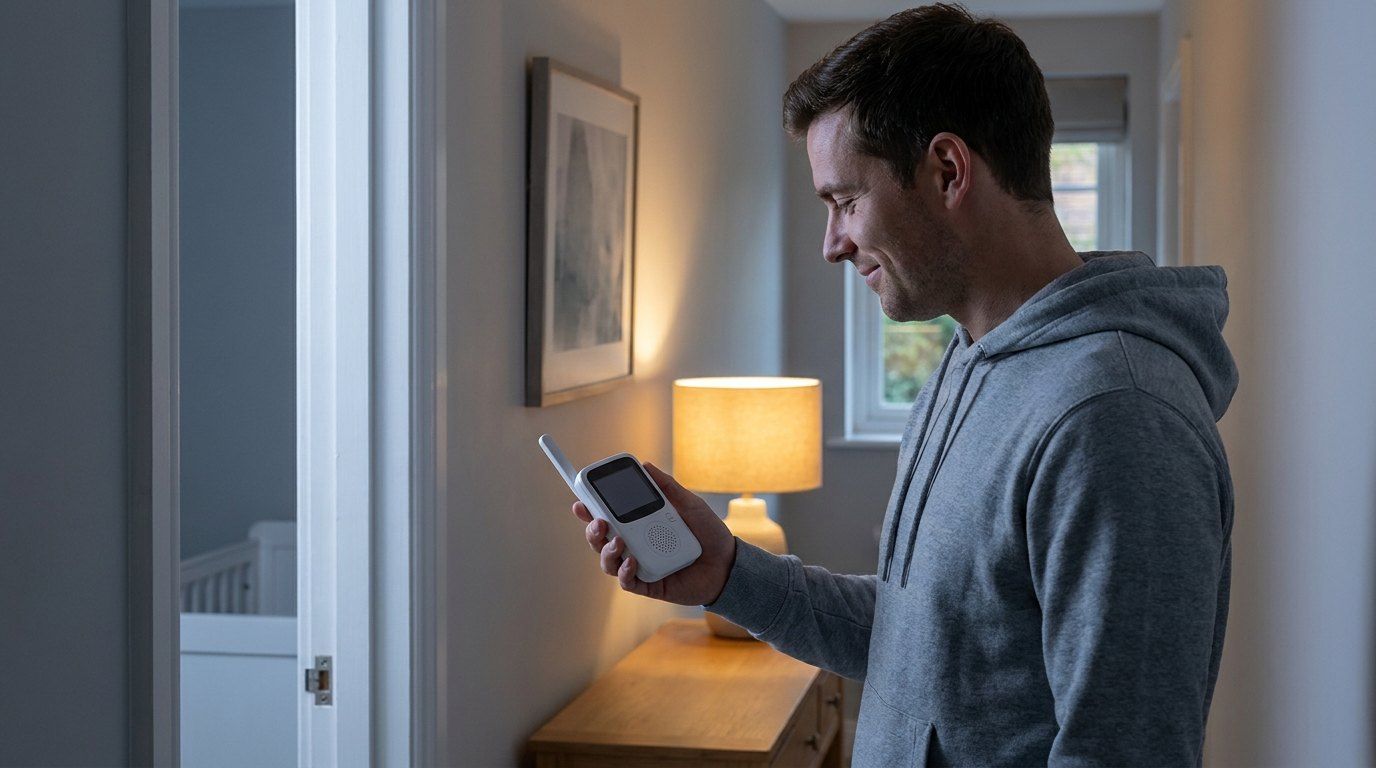
Our quick picks
- Best overall without Wi-FiInfant Optics DXR-8 PROCheck price
A 5-inch screen, swappable lenses and up to 4 cameras, with no app or Wi-Fi.
- Longest batteryBabysense PRO 5.5"Check price
Up to 20 hours in ECO mode on a 5.5-inch screen, per Babysense.
- Wi-Fi only when you want iteufy Baby Monitor E21Check price
A physical switch turns the camera's Wi-Fi off, and the screen still works.
In this guide
A baby monitor without Wi-Fi is the simplest answer to a question a lot of new dads end up googling at 2 a.m.: can someone else see my baby through this camera? With a Wi-Fi monitor, the honest answer is that it’s possible. With a monitor that never touches the internet, a stranger online has nothing to log in to. This guide covers what actually happened with hacked cameras, what you give up without Wi-Fi, and six monitors compared by the numbers their makers publish.
How we made this list: we haven’t tested these monitors ourselves. Everything below comes from each manufacturer’s own website, checked in October 2026, plus guidance from the FTC, the AAP, the CPSC and the UK’s National Cyber Security Centre. Where makers don’t publish a number, or publish two different ones, we say so.
The short answer
- Can baby monitors be hacked? Wi-Fi cameras can be, and it has happened to baby monitoring feeds.
- Is a monitor without Wi-Fi safer? From internet hacking, yes. It sends video only to its own screen over a private radio link, with no account, app or cloud.
- What do you give up? Watching from your phone, or from anywhere outside the monitor’s range.
- Best pick without Wi-Fi: Infant Optics DXR-8 PRO. For the longest battery, Babysense PRO. If you want an app sometimes, eufy E21, which has a Wi-Fi off switch.
Can baby monitors be hacked?
Yes, if they connect to the internet. The best-known case is TRENDnet. In 2013 the Federal Trade Commission settled charges against the company over home cameras it marketed for uses ranging from home security to baby monitoring. According to the FTC, hackers posted links to the live feeds of nearly 700 of the cameras, showing among other things babies asleep in their cribs and young children playing. The FTC also found that the company sent users’ login details over the internet in clear, readable text.
That doesn’t mean every Wi-Fi monitor is unsafe. It means a Wi-Fi monitor is one more internet device in your house, with a password, an account and software that needs updates. If you look after those, the risk drops a lot. If you’d rather not think about it at all, a monitor without Wi-Fi takes the internet out of the picture.
Baby monitor without Wi-Fi vs Wi-Fi: what you trade
| Without Wi-Fi | With Wi-Fi | |
|---|---|---|
| How it connects | Camera to its own screen, over a private radio link | Camera to your router, then to an app |
| Can someone online log in? | No: there’s no account or app | Yes, if the password or software is weak |
| Watch from your phone | No | Yes |
| Watch away from home | No, only within range | Yes |
| Setup | Plug in and pair | Router, app, account |
| Smart alerts and recordings | Rare | Common, sometimes with a subscription |
Non-Wi-Fi makers usually describe the link as FHSS (frequency-hopping spread spectrum), a radio connection that keeps switching channels. What matters for you: the camera talks only to the screen it’s paired with, and there’s no internet address for anyone to find.
Six monitors compared
| Monitor | Wi-Fi | Range (maker’s figure) | Parent screen | Battery (maker’s figure) | Cameras |
|---|---|---|---|---|---|
| Infant Optics DXR-8 PRO | None | Up to 1,000 ft | 5 in, HD | Not listed | Up to 4 |
| Infant Optics DXR-8 PRO SS | None | Up to 1,000 ft (line of sight) | 5 in, HD, split screen | Not listed | Up to 4 |
| Infant Optics DXR-8 | None | Up to 700 ft (line of sight) | 3.5 in | Not listed | Not listed |
| Babysense PRO 5.5” | None | Up to 1,000 ft | 5.5 in, split screen | Up to 20 h (ECO), about 12 h regular | Up to 4 |
| Motorola VM75 | None | Up to 1,000 ft | 5 in (480 x 272) | 5 h or 17 h (Motorola’s pages differ) | Up to 4 |
| eufy Baby Monitor E21 | Optional, with an off switch | 800 or 1,000 ft (eufy’s pages differ) | 5 in, split screen | Not listed for the screen | Split screen for 2 |
Range figures are in the open, line of sight. Walls, floors and other electronics cut them down, so a 1,000-foot monitor won’t reach 1,000 feet across a house.
The picks
Best overall without Wi-Fi: Infant Optics DXR-8 PRO
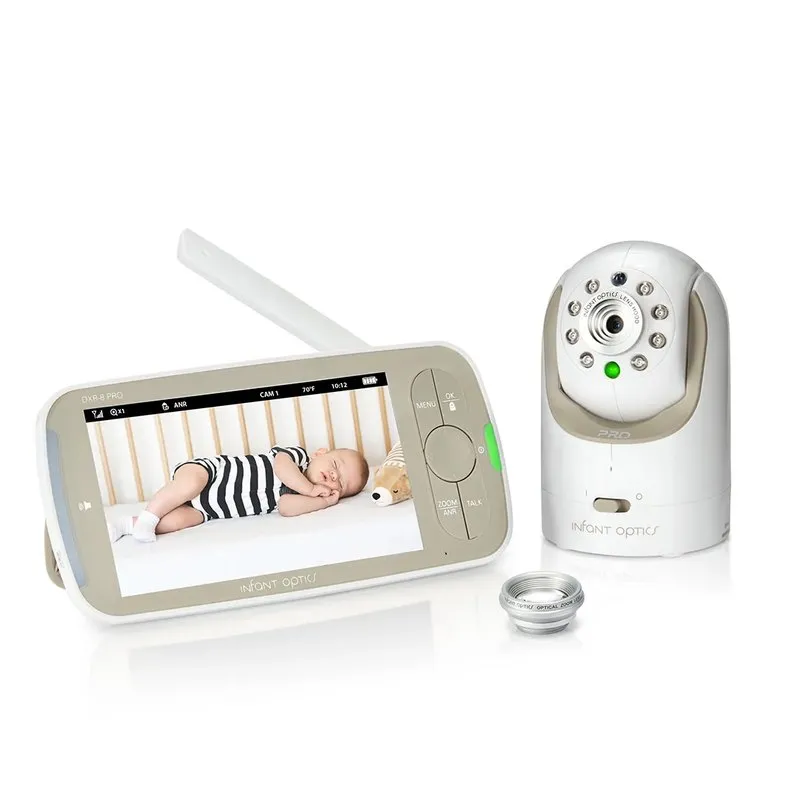
Infant Optics DXR-8 PRO
A 5-inch HD parent screen and a pan-and-tilt camera that talk to each other directly over a private FHSS radio link. Infant Optics says no apps or Wi-Fi are needed and lists a range of up to 1,000 feet.
Pros
- No Wi-Fi, no app, no account
- Interchangeable camera lenses
- Supports up to 4 cameras
Cons
- Infant Optics publishes no camera resolution, only the screen's
Infant Optics has sold its non-Wi-Fi DXR-8 since 2011, and the PRO is the current flagship: a 5-inch HD screen, a camera you pan and tilt from the parent unit, and lenses you can swap for a wider or closer view as your baby moves from crib to room. No app, no account, no Wi-Fi. The one thing we’d like to see is a published camera resolution; Infant Optics gives only the screen’s.
Two kids or two rooms: Infant Optics DXR-8 PRO SS
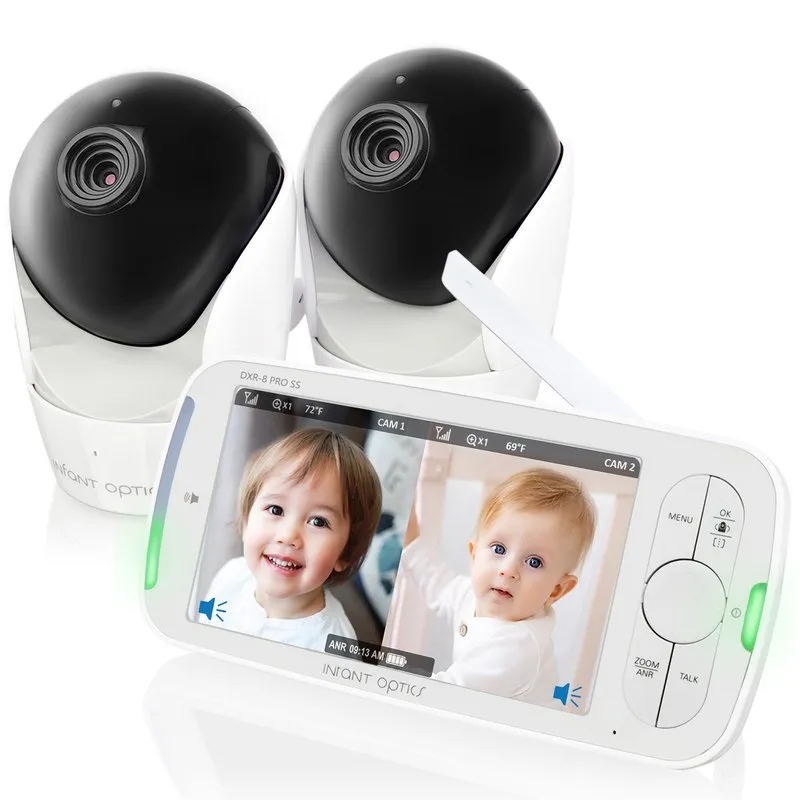
Infant Optics DXR-8 PRO SS
The split-screen version of the DXR-8 PRO: one 5-inch screen can show two rooms side by side. It runs on Infant Optics' private FHSS link, with no Wi-Fi, and the maker lists up to 1,000 feet of range in line of sight.
Pros
- Split screen for two kids or two rooms
- No Wi-Fi or app
- User-replaceable battery
Cons
- Infant Optics doesn't publish battery hours for this model
The same idea, built for a second camera: the 5-inch screen shows two rooms side by side, which is handy once a toddler and a newborn sleep in different rooms. The battery in the parent unit can be replaced by you rather than sent back.
Longest battery: Babysense PRO 5.5”
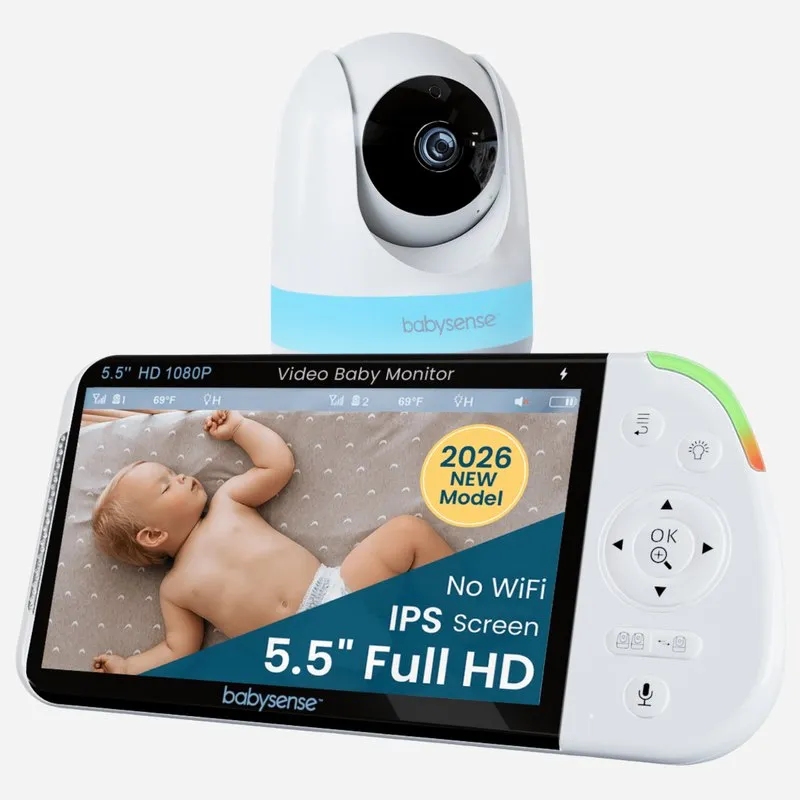
Babysense PRO 5.5" Split-Screen Monitor
A 5.5-inch screen with a pan, tilt and zoom camera on a private 2.4GHz FHSS link, no internet or Wi-Fi. Babysense lists up to 20 hours of battery in ECO mode, a 1,000-foot range and up to 4 cameras.
Pros
- Longest battery life we found: up to 20 hours in ECO mode
- Big 5.5-inch screen
- Split screen with a second camera
Cons
- About 12 hours in regular mode, per Babysense
If the parent unit comes with you from the couch to the kitchen to bed, battery life matters more than any other spec. Babysense lists up to 20 hours in its ECO mode and about 12 hours in regular mode, the longest we found, on the biggest screen of the group.
Small and simple: Infant Optics DXR-8
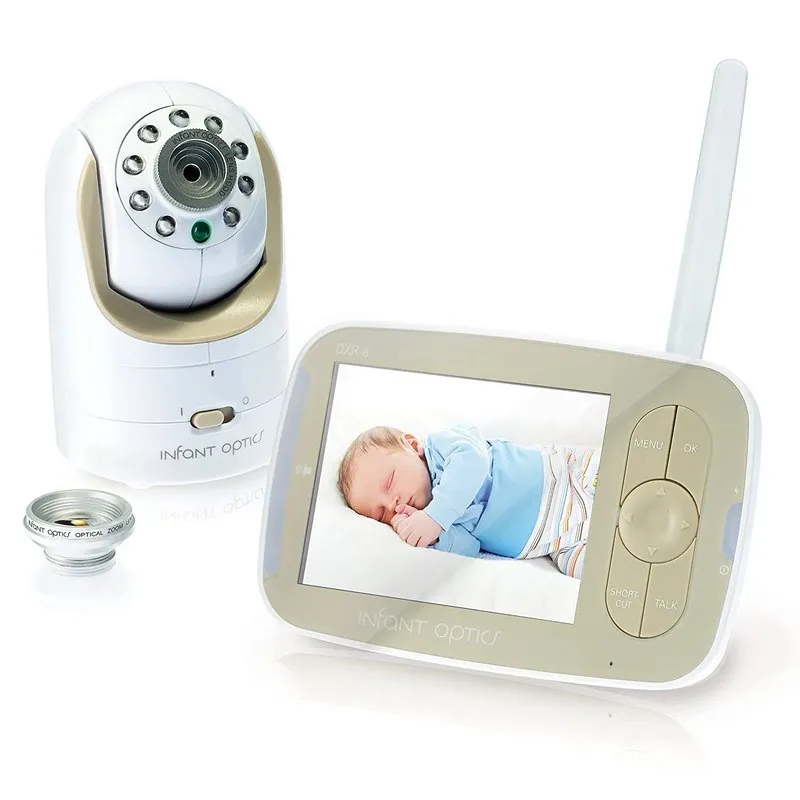
Infant Optics DXR-8
The smaller, older sibling of the DXR-8 PRO, sold since 2011: a 3.5-inch screen, a pan-and-tilt camera with swappable lenses, and a private FHSS connection with no internet. Infant Optics lists up to 700 feet of range in line of sight.
Pros
- Compact and easy to travel with
- No Wi-Fi or app
- Same swappable lenses as the PRO
Cons
- Small, low-resolution 3.5-inch screen
- Shorter range than the PRO (700 feet)
The older, smaller DXR-8 has a 3.5-inch screen and a shorter range (700 feet), but the same swappable lenses and the same no-internet design. Good for a small home or for travel.
Lullabies and talk-back: Motorola VM75
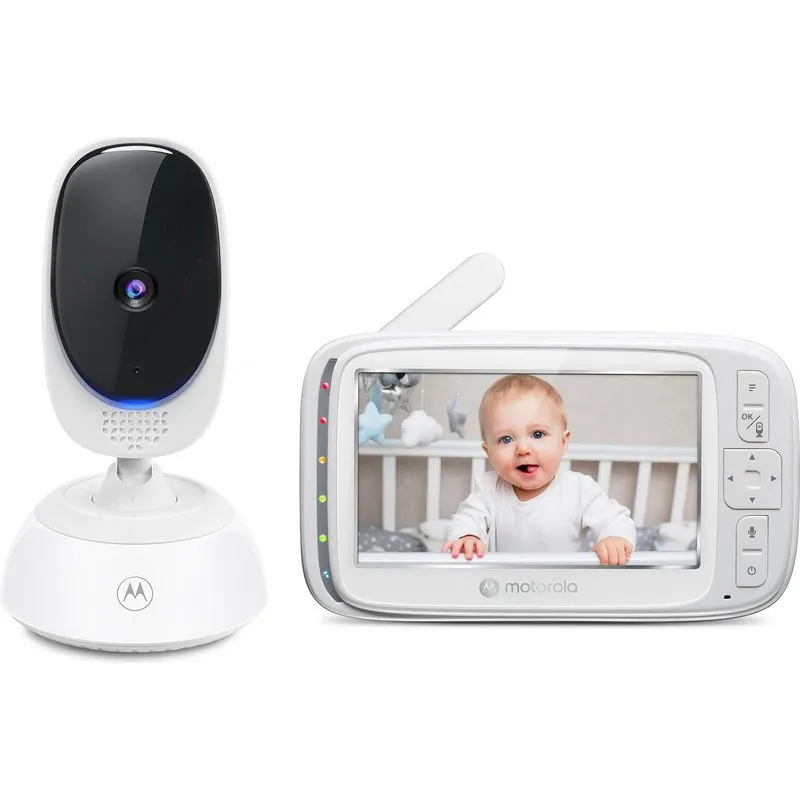
Motorola VM75
A 5-inch parent screen and a pan-and-tilt camera on a 2.4GHz FHSS link. Motorola says no Wi-Fi or app is needed, lists up to 1,000 feet of range, and adds lullabies, two-way talk and room temperature alerts.
Pros
- No Wi-Fi or app
- Lullabies, two-way talk and temperature alerts
- Connect up to 4 cameras
Cons
- Motorola's own pages disagree on battery life (5 hours vs 17 hours)
- Lower-resolution screen (480 x 272)
Motorola’s no-Wi-Fi model adds lullabies, two-way talk and room temperature alerts. Two caveats: the screen resolution is lower than the others, and Motorola’s own pages list two very different battery figures, 5 hours on its spec sheet and 17 hours on its shop.
Wi-Fi only when you want it: eufy Baby Monitor E21
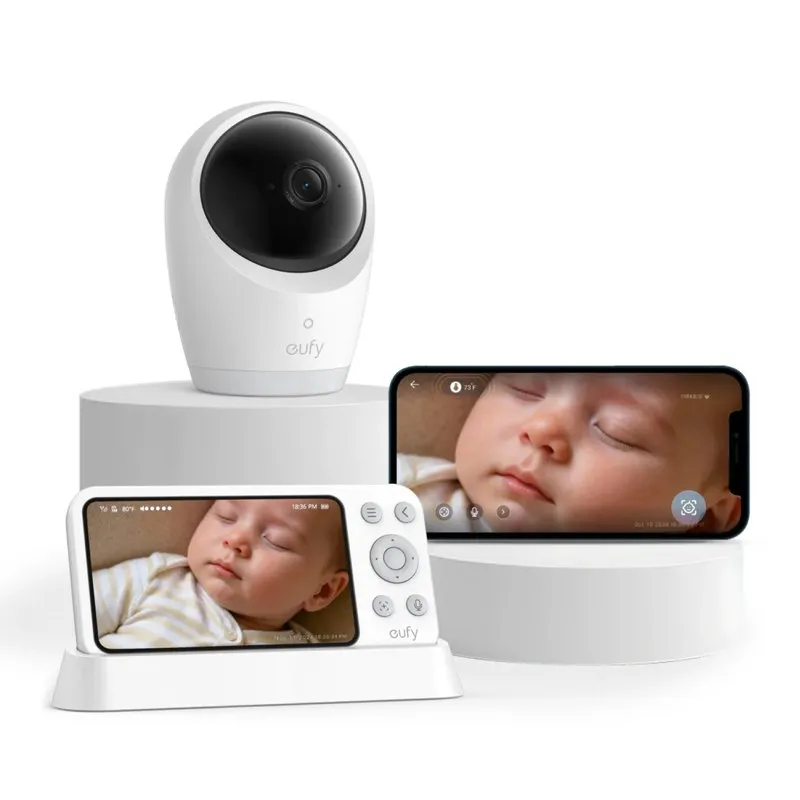
eufy Baby Monitor E21
A hybrid: the 5-inch parent screen works on its own, and the app is optional. A physical Wi-Fi switch on the camera turns the internet connection off, and eufy says the camera then connects only to the monitor. 4K camera with 330-degree pan and 8x zoom.
Pros
- Physical Wi-Fi off switch
- 4K camera with pan, tilt and zoom
- Use the app later only if you want it
Cons
- Once Wi-Fi is on, it carries the same risks as any connected camera
- eufy's own pages give two different ranges (800 and 1,000 feet)
A hybrid for dads who want the option of checking the app from work. The camera has a physical Wi-Fi switch. In eufy’s words, with the switch off “the camera will only connect to the monitor.” Turn it on and you get the app, but also everything that comes with a connected camera, so set it up the way the next section describes. eufy also has a Smart Connect feature that routes through your router when the camera and screen are far apart; that only works with Wi-Fi on.
Already have a Wi-Fi monitor? Lock it down
You don’t need to throw it out. The UK’s National Cyber Security Centre gives three steps for smart cameras and baby monitors:
- Change the default password to a strong one. The NCSC suggests three random words.
- Keep it updated. Turn on automatic updates if the camera offers them.
- Turn off remote viewing if you don’t use it. If you only watch from inside the house, the feature that lets you view footage over the internet is just an open door. (Turning it off may also turn off motion alerts.)
And if the camera ever had a security patch from its maker, install it. That was the FTC’s advice to TRENDnet owners.
Do baby monitors emit radiation?
Every wireless monitor, with or without Wi-Fi, sends a radio signal, just like a phone or a cordless phone. The Federal Communications Commission says that currently no scientific evidence establishes a causal link between wireless device use and cancer or other illnesses. Keeping the camera across the room, as the next section explains, matters far more for safety than the radio signal.
Where to put the monitor
The real physical risk with any baby monitor is the cord. The Consumer Product Safety Commission has warned that infants and toddlers have strangled in baby monitor cords. Its advice:
- Keep the camera and its cord at least 3 feet from any part of the crib, bassinet or play yard.
- Never put the monitor inside the crib or on its edge.
- Check wall-mounted cameras too. The cord has to be out of your child’s reach, and what is out of reach changes as your baby learns to stand.
A monitor doesn’t make sleep safer
A monitor lets you see and hear your baby. It doesn’t lower the risk of SIDS, and the American Academy of Pediatrics is clear about this: don’t use home cardiorespiratory monitors to reduce the risk of SIDS, and there is no evidence that consumer heart-rate and oxygen monitors lower it either. The AAP says it’s fine to use one if you want to, as long as it doesn’t replace the safe sleep basics:
- Baby on their back, on a firm, flat surface, in a crib or bassinet with nothing else in it.
- Share a room, not a bed, for at least the first 6 months. The AAP says room sharing can lower the risk of SIDS by as much as 50%.
While your baby sleeps in your room, you may not need a monitor at all for nights. It earns its place for naps, evenings, and the move to the nursery. For more gear decisions, see our baby gear guides.
FAQ
Can baby monitors be hacked?
Monitors that connect to Wi-Fi can be, like any internet camera. In a 2013 FTC case, hackers posted links to the live feeds of nearly 700 cameras made by TRENDnet, some showing sleeping babies. A monitor without Wi-Fi has no internet connection, so no one online can log in to it.
Can a monitor without Wi-Fi be hacked?
Not from the internet, because it isn’t on it. Its camera talks only to its paired screen over a short-range radio link. Some makers go further and call their monitors “hack-proof.” That’s their claim, but it’s fair to say a stranger would have to be nearby, not across the world.
Do monitors without Wi-Fi need internet to work?
No. You plug in the camera, turn on the parent unit, and they connect to each other. That also means they keep working when your internet is down.
Do baby monitors emit radiation?
They send radio signals, like phones. The FCC says that currently no scientific evidence establishes a causal link between wireless device use and cancer or other illnesses. Keep the camera and cord at least 3 feet from the crib anyway, for cord safety.
Do I need a baby monitor if the baby sleeps in our room?
Not for nights. The AAP recommends room sharing, without bed sharing, for at least the first 6 months. A monitor is useful for naps and evenings when you’re in another room, and later when your baby moves to a nursery.
Sources
- Marketer of Internet-Connected Home Security Video Cameras Settles FTC Charges (2013) and You’re on Candid Camera, Federal Trade Commission
- ‘Smart’ security cameras: Using them safely in your home, National Cyber Security Centre (UK)
- Infants and Toddlers Can Strangle in Baby Monitor Cords, U.S. Consumer Product Safety Commission
- Wireless Devices and Health Concerns, Federal Communications Commission
- A Parent’s Guide to Safe Sleep, American Academy of Pediatrics (HealthyChildren.org)
- DXR-8 PRO, DXR-8 PRO SS and DXR-8, Infant Optics
- PRO 5.5” HD Split-Screen Monitor, Babysense
- VM75 and VM75 shop page, Motorola Nursery
- eufy Baby Monitor E21 and E20 and E21 launch post, eufy